What is a stacking plan? Making unit availability visible in construction sales
What is a stacking plan and why does it matter? Moving from a physical board to digital, automatic vs manual generation, and speeding up your sales process.
When a sales rep can't instantly answer a customer's question on the phone — "is there a sea-view unit left on the 5th floor?" — what gets lost in that moment isn't just a minute, it's potentially a sale. The most classic problem in real estate and construction sales is that information about which unit is available and which is sold doesn't exist in the right place at the right time. A stacking plan is exactly the visualization tool the industry has used for decades to solve this problem.
In this guide, we'll cover what a stacking plan is, why moving from a traditional physical board to a digital version makes such a difference, the distinction between automatic and manual generation methods, and how this tool speeds up your sales process.
What is a stacking plan?
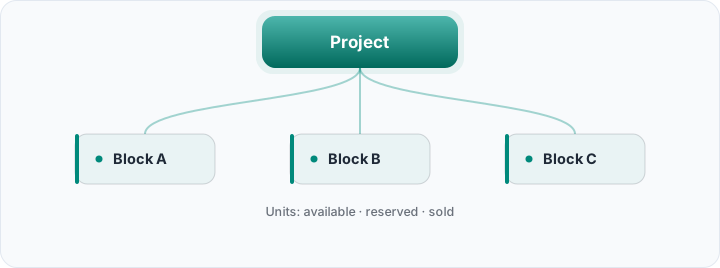
A stacking plan is a visual representation of every floor and unit in a building, showing each unit's status (available, reserved, sold) through color coding. The name comes from the "stacked" appearance of units floor by floor — think of it like viewing a building in cross-section from the side, where each floor is a row and each unit is a cell in that row.
This tool is a tradition real estate developers have used in sales offices for decades; the traditional version was usually built on a wall board, with magnetic or sticky labels representing each unit — when a unit sold, the label got physically swapped out.
Why does this matter so much?
The nature of construction sales requires multiple sales reps, across multiple channels (phone, showroom, online), to access the same inventory pool simultaneously. That creates three critical needs: instant visibility (a rep needs to see, within seconds, which unit is available while talking to a customer), preventing double-selling (two different reps offering the same unit to two different customers at the same time is both a reputational and a legal problem), and customer decision support (when a customer gets a visual answer to "which floor, which view," the decision process speeds up).
Traditional (physical) plan or digital plan?
A physical board exists in exactly one physical location — a field team, another sales office, or an online channel can't access that information in real time. When a unit sells, updating the board is a manual step, and there's always a delay window between that update and the real status — and most double-sales happen exactly inside that delay window.
A digital stacking plan solves this at the root: the moment a unit's status changes in your CRM, the plan updates instantly — and everyone accesses that same updated plan simultaneously, regardless of location, whether it's a field rep checking their phone or a tablet in the showroom. A single source of truth practically eliminates the risk of double-selling.
What information does a digital stacking plan show?
The core layer is status color — available, reserved, on option, under contract, sold, delivered — each stage gets a different color. But a good digital plan doesn't stop there: clicking or hovering on a unit reveals additional information like square footage, price, floor, and view direction. This lets you answer not just "is it available or not," but also "what options should I offer this customer" from a single screen.
Should it be generated automatically or manually?
There are two core approaches here. The manual/image-based approach requires uploading a floor plan image and hand-drawing a region (polygon) over each unit — visually, it's the most faithful to the actual architectural plan, but it requires setup effort again for every new project. The automatic approach generates a grid directly from your unit database (block, floor, unit number, status) with no image upload required — it's ready instantly, but doesn't provide a literal visual representation of the architectural plan.
A healthy strategy usually keeps both: an image-based plan for the "showroom" experience shown to customers, and a fast, zero-setup automatic grid for day-to-day operational tracking. Rocketly's Construction CRM module offers this automatic approach directly — with no touching of your unit data required, an always-current availability grid is ready instantly.
Generate your stacking plan automatically
Rocketly's Construction CRM module builds a visual, color-coded availability grid directly from your unit data — no image upload needed.
See the Construction ModuleHow does a stacking plan speed up the sales process?
When a sales rep tells a customer mid-conversation "hold on, let me check" and waits a few minutes, that often means the customer's interest cools off. A digital stacking plan cuts that wait to zero — the rep can look at their screen and answer instantly while the conversation continues. This isn't just about speed — it's about trust too: a rep who looks prepared and knowledgeable leaves a far more professional impression on the customer.
How does a stacking plan relate to absorption rate?
A stacking plan doesn't just answer "what's available right now" — tracked over time, it also reveals which floor, orientation, or unit type sells faster. If you notice, for example, that upper floors sell faster than lower ones, or sea-view units sell faster than city-view ones, that information directly shapes both your pricing strategy (higher prices for higher-demand units) and your marketing priorities (extra campaign push for slower-selling units). Thinking of a stacking plan not just as a snapshot of current status, but as a running record of sales velocity over time, extracts far more strategic value from it.
A concrete scenario: how is a stacking plan used during the day?
Picture a 50-unit project. A customer walks into the showroom in the morning looking for "a two-bedroom, block B, floor 3 or higher." The rep opens the stacking plan, filters to block B, and instantly sees available two-bedroom units on floor 3 and above — finds three options, compares each one's price and square footage. The customer likes one, and the rep sets that unit to "on option." At the same moment, if a rep at a call center in another city tries to offer the same unit to a different customer on the phone, that conflict is blocked instantly, because the plan already shows it as "on option." That's a level of coordination a physical board could never achieve at this speed or reliability.
Common mistakes
- Not keeping the plan up to date: if the plan isn't updated the moment a sale happens, a digital plan becomes just as unreliable as a physical board — the real advantage lies in automation, not discipline.
- Using it only in the sales office: if the field team, call center, or online channel can't access the same plan, you've simply recreated the physical board's "single location" problem in digital form.
- Using status colors inconsistently: showing closely related statuses like "reserved" and "on option" in the same color can lead reps and customers to misread the situation.
- Showing status without context: displaying only color without additional information like price or square footage still forces the rep to look things up in a separate system — that's exactly where the real efficiency gain gets lost.
A starting checklist for developers
- 1. Consolidate your unit data into a single source. Set up one system your whole team can access, instead of spreadsheets and separate files.
- 2. Standardize your status colors. Define a clear, consistent color scheme for every stage (available/on option/reserved/sold).
- 3. Open access to every channel. Your sales office, field team, and call center should all be looking at the same up-to-date plan.
- 4. Use both the automatic and image-based plan together. The automatic grid for operational speed, the image-based plan for customer presentations.
- 5. Test that status changes reflect instantly. Make sure that when a unit's status changes, the plan genuinely updates at the same moment.
The role of tablet use in the showroom
When a customer visits the showroom, the experience shifts significantly if the rep can show the stacking plan right there next to the customer on a tablet, instead of walking them over to a desk to look at a desktop computer. The customer can look at the rep's screen together and point at "that floor" or "this block" — a far more participatory and trust-building experience than a presentation managed from behind a desktop computer. That's why a digital stacking plan needs to work seamlessly not just on desktop, but on tablet and phone screens too, as a natural part of the showroom experience.
Frequently asked questions
Is a stacking plan only needed for large projects?
No — even in a small project with just a few blocks, or even a single block, the moment more than one person is selling, the risk of double-selling appears. Regardless of project size, this tool carries value in any situation where more than one person accesses the same inventory.
Is a stacking plan the same thing as a floor plan?
No, they're related but different concepts. A floor plan shows a single unit's interior architectural layout (room arrangement, square footage breakdown); a stacking plan shows the sales status of every unit in the building together. A good system links the two together — clicking a unit should let you see both its status and that unit's floor plan.
How architecturally faithful does an automatically generated grid need to be?
Full architectural fidelity isn't necessary for day-to-day operational use — what matters is that the block/floor/unit hierarchy is represented accurately and clearly. The one scenario where architectural fidelity matters is sales presentations shown directly to a customer; in that case, using an image-based plan as a complement is sufficient.
What other parts of the CRM should this plan connect to?
The most valuable connection is linking unit status to lead and deal records — when a unit becomes "reserved," being able to see which lead made that reservation from the same screen preserves the integrity of your sales process.
A stacking plan isn't a flashy feature — it's a quiet tool that answers a fundamental operational need in construction sales. Moving from a physical board to a digital, automatic grid isn't about "looking more modern" — it means reducing the risk of double-selling, speeding up your sales process, and building your entire construction CRM process on a single, reliable source of truth.