Saving time with bulk edits and bulk actions
Turn hours of manual work into seconds with bulk edits and bulk actions: reassign owners, change stages, add tags, and send bulk messages safely.
In a CRM, the sneakiest time sink is the small edit made one record at a time. A rep left, and their 340 records need to move to a new owner; a campaign ended, and 800 records should get a "2024-fall" tag; every deal in a segment needs to move to the next stage. Opening and changing these record by record takes hours, invites mistakes, and nobody enjoys it. The result is work that is either left half done or done wrong.
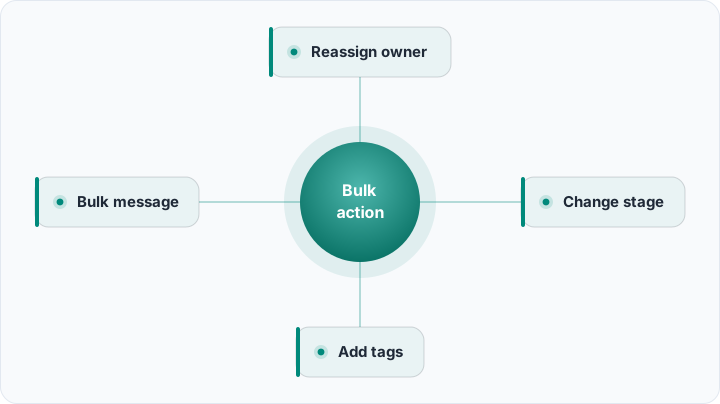
Bulk edits and bulk actions exist for exactly this. In a list view you filter, select the relevant records, and update them all in a single operation: reassign owner, change stage, add tags, send bulk email or SMS. A well-built bulk-action flow turns a half-day of manual labor into a few seconds. In this guide we will show how to do it safely with Rocketly's list views, saved filters, and bulk actions.
Why editing one at a time is expensive
The cost of manual editing is not only the time it burns. Repeating the same operation hundreds of times scatters your attention; a few records get the wrong stage, one gets skipped, another gets the wrong tag. These small errors corrupt reports and later turn into hours of "why don't the numbers add up" investigation. Worse, this work is usually needed at the busiest moments, like month-end, exactly when you are most prone to mistakes.
The second cost is opportunity cost. While a rep fixes data by hand, they are not selling. With a regular pipeline hygiene checklist that hands these maintenance chores to bulk actions, the team spends its time on real work, meaning talking to customers. Bulk actions are the fastest way to erase the invisible burden called "data maintenance."
There is also the cost of inconsistency. Three people working by hand fill the same field three different ways: one writes "Istanbul," another "IST," a third "istanbul." These small differences split segments, mislead reports, and later cause hours of standardization work. A bulk action solves this at the source by applying one value to every selected record at once.
First the right selection: list views and saved filters
Every bulk action begins with a selection, and your selection is only as good as your filter. Select the wrong records, and the bulk action applies the mistake wholesale too. So the first step is always a solid filter: narrow the list by source, segment, stage, last-contact date, owner, and tags.
Do not rebuild the selections you use often every single time. With saved filters and custom views you define views like "hot leads untouched for 30 days" or "deals closing this quarter" once, then open them with a click. Running a bulk action on these saved views is both faster and more consistent; everyone sees the same list by the same logic.
What bulk editing does
The power of bulk editing is changing one field across hundreds of records at once. The most common operations are:
- Reassign owner: hand all records of a departing or reterritoried rep to a new owner.
- Change stage: move a segment of deals to a new stage in bulk, or mark them closed.
- Add or remove tags: apply campaign, segment, or priority tags wholesale.
- Update a field: fill a shared field like industry, city, or source with the same value across selected records.
- Delete or archive: clean out records that are no longer valid in a single pass.
Reassigning owners is especially valuable for workload distribution. If you want a fair, sensible order when redistributing records, apply the logic of prioritizing deals and leads; that way the hottest records go to the most suitable rep, and nobody is left idle or drowning. Updating a field is powerful in the same way: to fix a campaign source, you can bulk-change mis-entered "source" values across the selection at once, and a good interface shows exactly which field changes to which value before you apply.
Bulk actions in the real world: five scenarios
Concrete scenarios make the value obvious. First, offboarding: a rep leaves on Friday, and by Monday their entire book must be redistributed. Filter by owner, split the list by region or segment, and reassign each slice to the right teammate in three passes instead of three hundred. Second, event follow-up: after a trade show you import a list of 500 badges, tag them all "expo-2026," assign a first-touch owner, and trigger a welcome sequence, all before lunch.
Third, stage cleanup at quarter-end: every deal with no activity for 60 days moves to a "dormant" stage so the forecast reflects reality. Fourth, plan migration: when a product name changes, bulk-update the product field across affected deals so reports stay coherent. Fifth, consent hygiene: bulk-remove a marketing tag from contacts who opted out, so no future campaign accidentally reaches them. Each of these would be a painful afternoon by hand; as a bulk action, it is minutes.
Bulk messaging: email and SMS
Bulk actions are not limited to updating fields; you can also send bulk email or SMS to selected records. Selecting a segment and delivering a personalized announcement, reminder, or campaign message in one pass dramatically speeds up channel management. To send SMS at scale and with consent, setting up SMS gateway integration makes delivery and reporting reliable.
There is a critical boundary here: consent. When you send commercial messages in bulk, the recipient's permission and a legal framework are mandatory. In Turkey, complying with the rules of commercial message consent (IYS) is required for both legal risk and reputation. Always use the power of bulk messaging together with a permission list; unconsented sending costs far more than the time it saves.
Data cleanup: duplicates and quality
Bulk actions are also the most practical tool for keeping data clean. Over time every CRM accumulates duplicate records; the same customer was entered three times with three different spellings. To find and merge these in bulk, apply the approach in deduplicating records; bulk merging both fixes reports and prevents the embarrassment of reaching the same customer twice.
Cleanup is not a one-time job. A continuous CRM data quality discipline turns bulk actions into a periodic maintenance ritual: bulk-filling missing fields, archiving invalid records, correcting nonstandard values. Clean data makes every subsequent bulk action and every report more trustworthy.
Bulk updates via import and export
For some bulk updates the most practical route is to export, edit, and reload. Bulk-editing a specific field of hundreds of records in a spreadsheet and importing again is very fast, especially in cases that need complex mapping. To run this process safely, follow the steps in data import and export: take a backup first, validate the field mapping, test with a small sample, then run the full load.
A bulk action is like a magnifying glass: it enlarges the right selection and the wrong selection at the same speed. All the power lies in the accuracy of the selection, so filter first, act second.
A pre-flight checklist before every bulk action
Because a bulk action is fast and far-reaching, a short discipline before you click pays for itself many times over. Run through this quick checklist:
- Count first: confirm the record count matches what you expect before applying.
- Spot-check the filter: open three or four records to be sure the selection is truly what you intend.
- Back up when destructive: for deletes or field overwrites, export the current state first.
- Prefer off-peak: run large jobs when the team is not mid-call, so nothing is edited under someone's feet.
- Announce big changes: tell the team in advance when ownership or stages shift en masse.
Safety: undo, permissions, and audit
The speed of bulk actions is also their biggest risk. A bulk change made with the wrong filter can corrupt hundreds of records in seconds. That is why a good CRM offers three safety layers. The first is undo: before critical bulk actions, the system shows how many records will be affected and lets you reverse the operation. The second is preview: before applying, you see the list of selected records and the change to be made clearly.
A good practice is to run bulk actions in batches: instead of changing thousands of records at once, first try a sample of 50, verify the result, then apply to the whole set. This keeps the impact of a possible mistake small and makes undo easier.
Permissions and role-based limits
The third layer is permissions. Not everyone should be able to bulk-delete or bulk-reassign owners; these rights are limited by role. Every bulk action should also be written to an audit log: who, when, on which records, made what change. That trail lets you find the source when an error occurs and clarify accountability. Running large bulk actions during off-peak hours and testing on a small group first reduces risk even further.
Wiring bulk actions into automation
Bulk action is a manual tool, but you can wire recurring scenarios into automation. Rules like "automatically move leads with no contact for 30 days into a reassignment pool" or "add an archive tag to closed deals" turn the logic of a bulk action into a continuously running flow. Combine the same approach with task templates and auto-created tasks, and both your data and your follow-up stay on track by themselves.
Bulk actions are the quiet heroes that let a small team manage a large database effortlessly. Build the filter correctly, preview first, clarify permissions, and always keep the undo net ready. If you want to try this on your own data, create your free Rocketly account, build your first saved view, and run a bulk action on it; once you win back half a day, you will never want to go back to editing one record at a time.