CRM features for sales, customer work and operations
Explore modules that connect the customer record, accountable owner and next step in one working system.
Modules that shape day-to-day work
Each module connects to the same customer context, visible ownership and a next step the team can review.
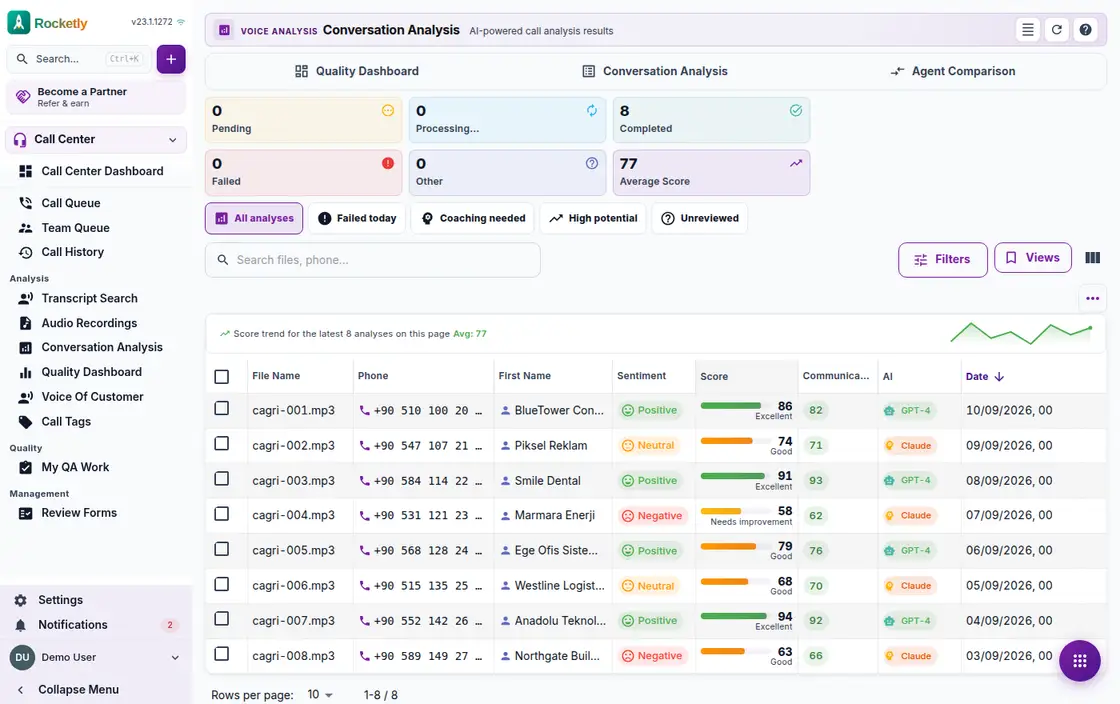
Call Analysis & Coaching
Call Analysis
Stop guessing how a call went and see it on the recording itself.
Call Analysis turns accessible recordings into searchable conversation signals so teams can review recurring customer needs and follow-up points.
Searchable transcript and player
Overall score and sub-scores
Speaker metrics
Risk, opportunity and compliance
Coaching plan
From analysis to action
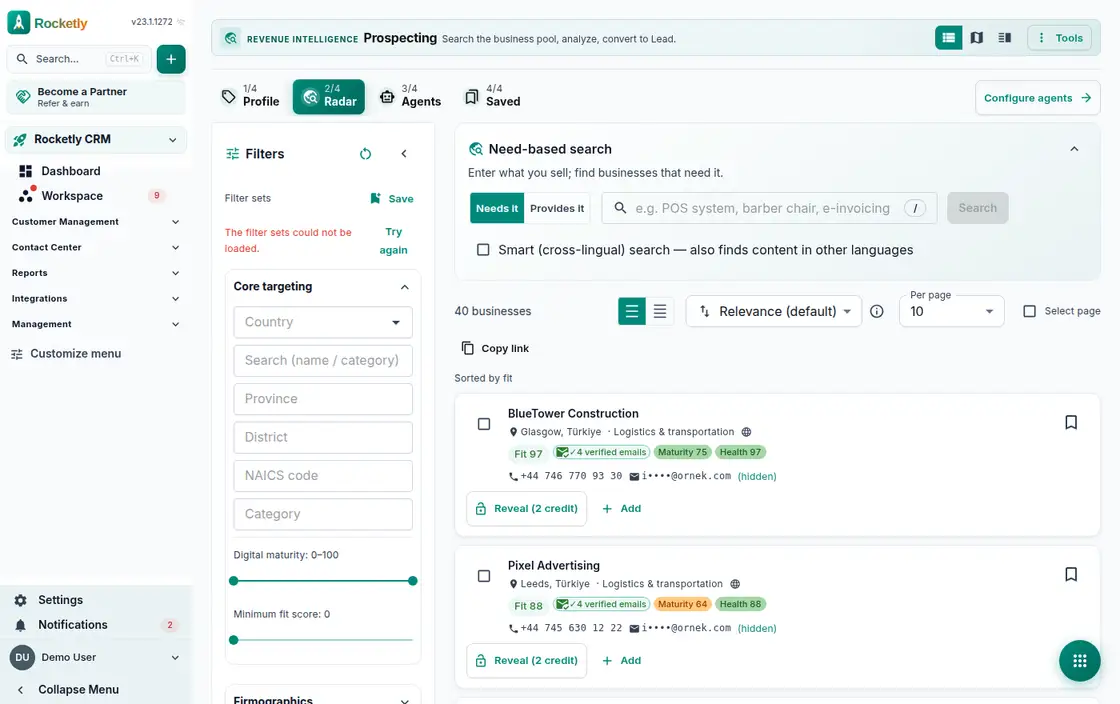
Company Discovery & Enrichment
Prospecting
Find companies you have never contacted, reveal their details and move them into your lead list.
Prospecting helps connect target-account and potential-customer research to the sales team's working flow. The team records the assumption that someone may be a fit together with its source and next step.
Targeting filters
Need-based search
Fit score and its reasons
Reveal contacts and people
From saved prospect to lead
Signal watching
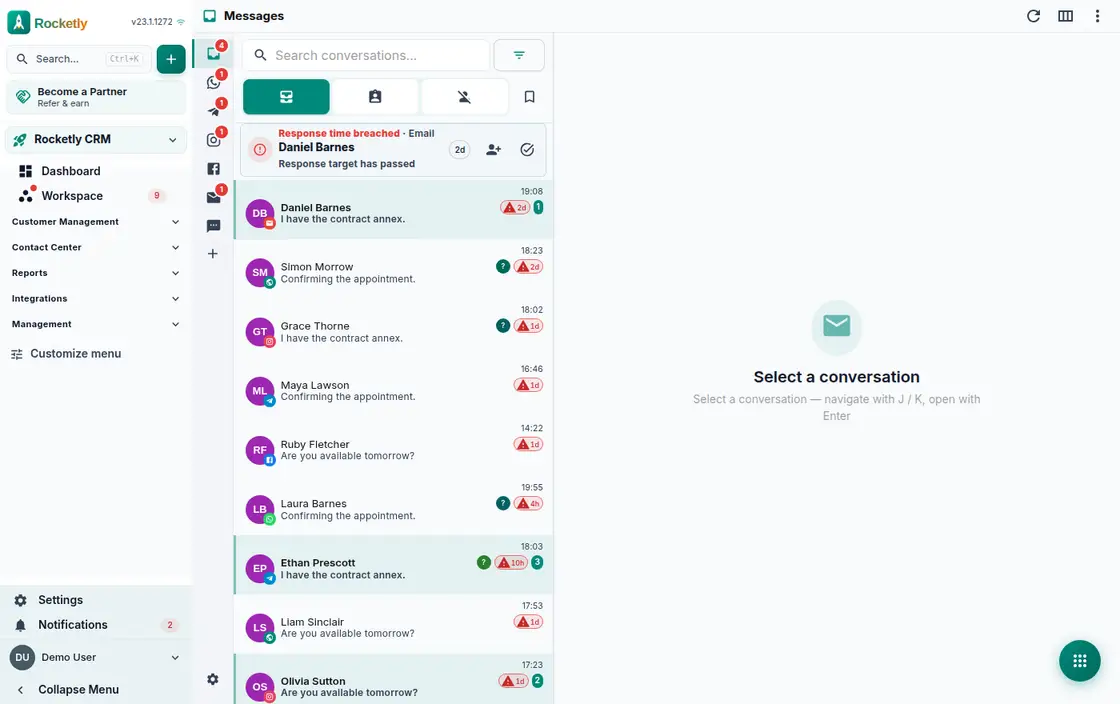
Omnichannel Shared Inbox
Unified Inbox
Every customer message, from WhatsApp to email, in one queue with a clear owner.
Unified Inbox brings customer conversations from supported channels into one working view, so the owner, status, and next action stay connected to the conversation.
Every channel in one inbox
Auto-assign and routing
Case centre and SLA
Shared drafts and locking
Snooze, tags, bulk actions
Delivery state and WhatsApp window
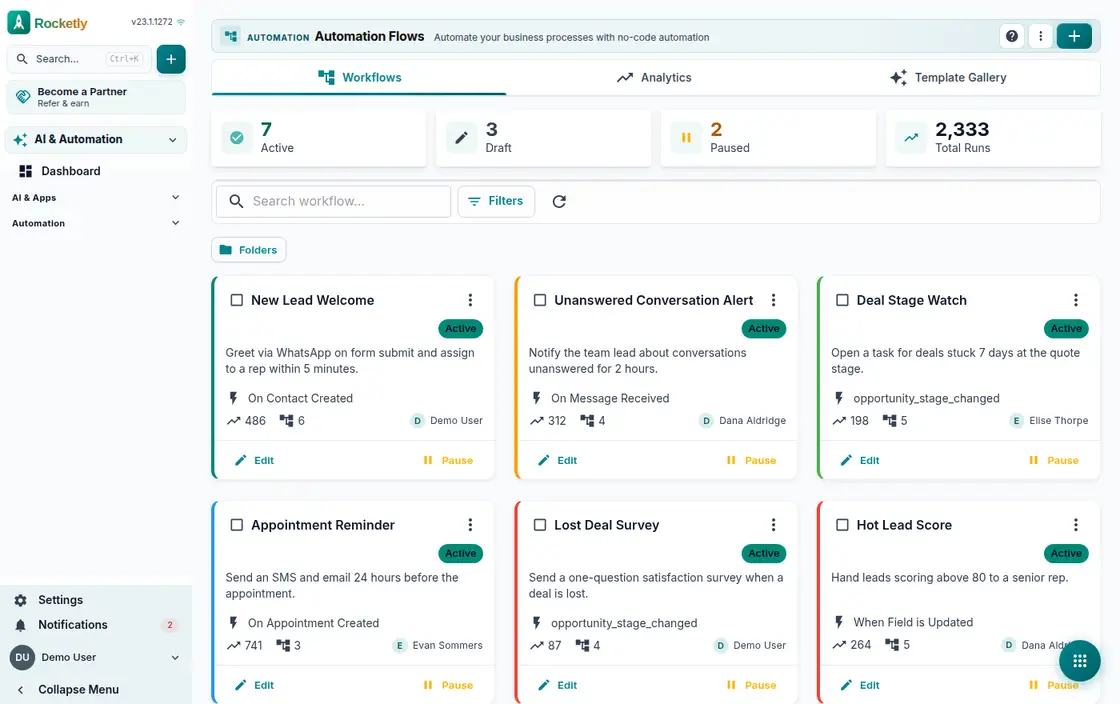
No-Code Automation Workflows
Workflow Builder
Set up the repetitive work once and let it run itself whenever the trigger fires.
Workflow Builder helps you define visually which condition is checked after an event and which next action follows. A process becomes a flow the team can read together instead of a hidden technical script.
Trigger, condition, action
A broad action library
Ready templates or AI setup
Test before going live
Execution history and logs
Limits and manager approval
Sales Pipeline & Forecasting
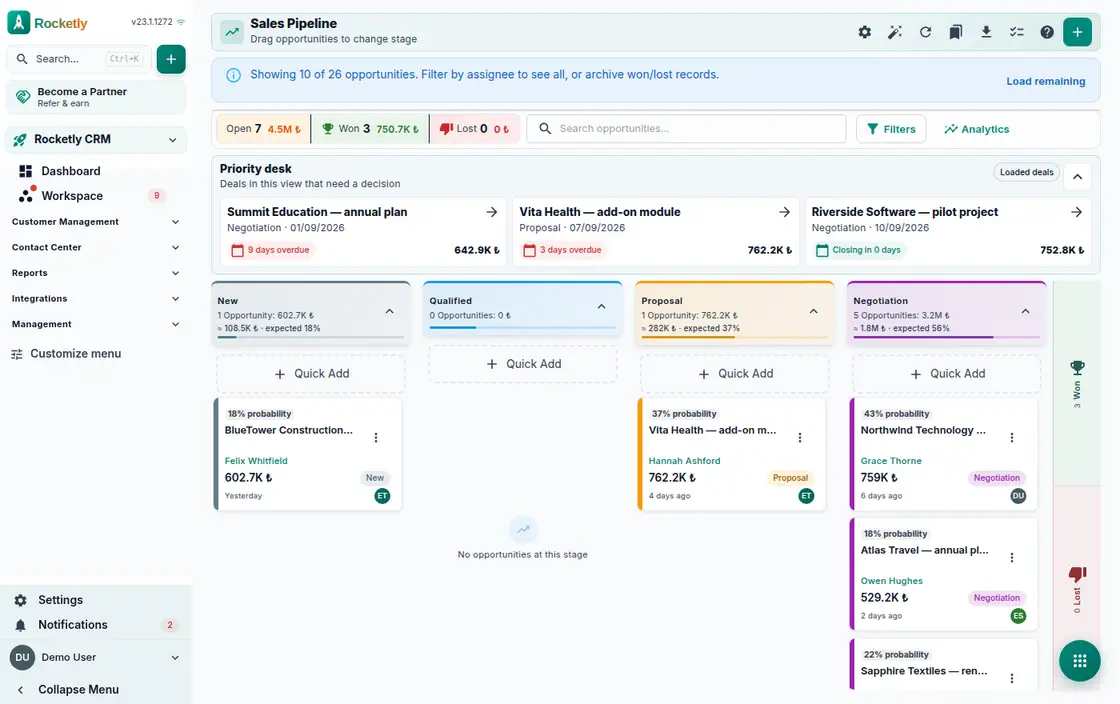
Sales Pipeline
See where every deal is stuck and how the month will close, all on one board.
Sales Pipeline helps bring an opportunity's stage, owner, and next commitment into one sales view. Forecasting is then a team conversation over a shared record.
Drag-and-drop stage board
Pipeline templates
Probability and next step
Forecast and performance
Deal health and risk
Win and loss analysis
Lead Management & Scoring
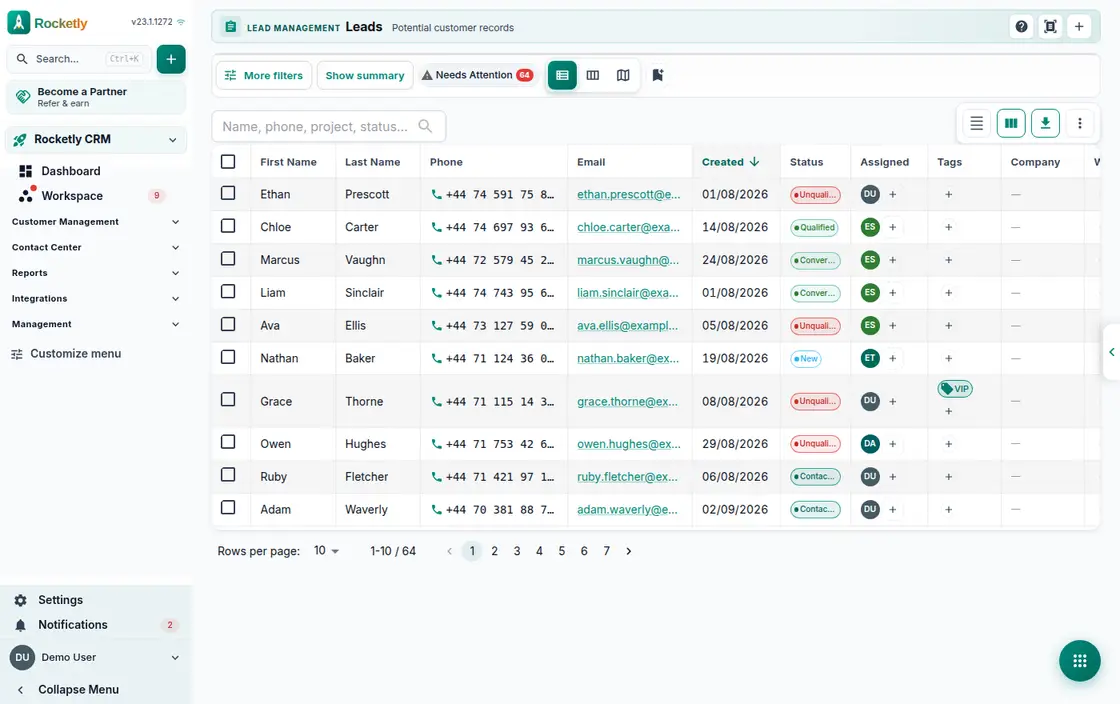
Lead Management
Every incoming lead has an owner, a score and a response clock you can actually see.
Lead Management keeps prospect information, ownership, stage, and follow-up actions on the same record. Scoring and priority signals make the next opportunity to review a discussable team decision.
Scoring and score reasons
First response SLA
Assignment and routing rules
List, kanban and map
Convert to contact or deal
Duplicate clean-up
Reporting & Analytics
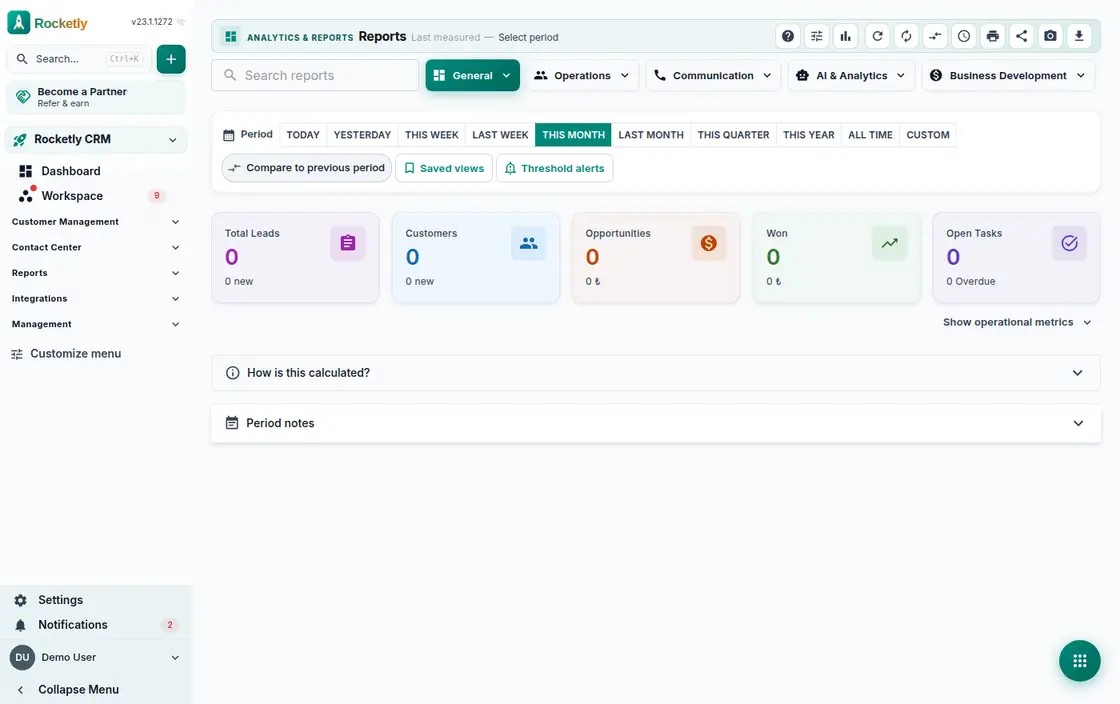
Analytics
See where sales stand, and know exactly where each number came from.
Analytics brings operational data into shared report views so teams can discuss change, bottlenecks, and areas needing follow-up in one frame. A report is evidence for a decision, not the decision itself.
A library of ready reports
Sales analytics cards
Arrange the dashboard yourself
See behind the number
Custom report builder
Scheduled reports
Pre-Accounting & Collections
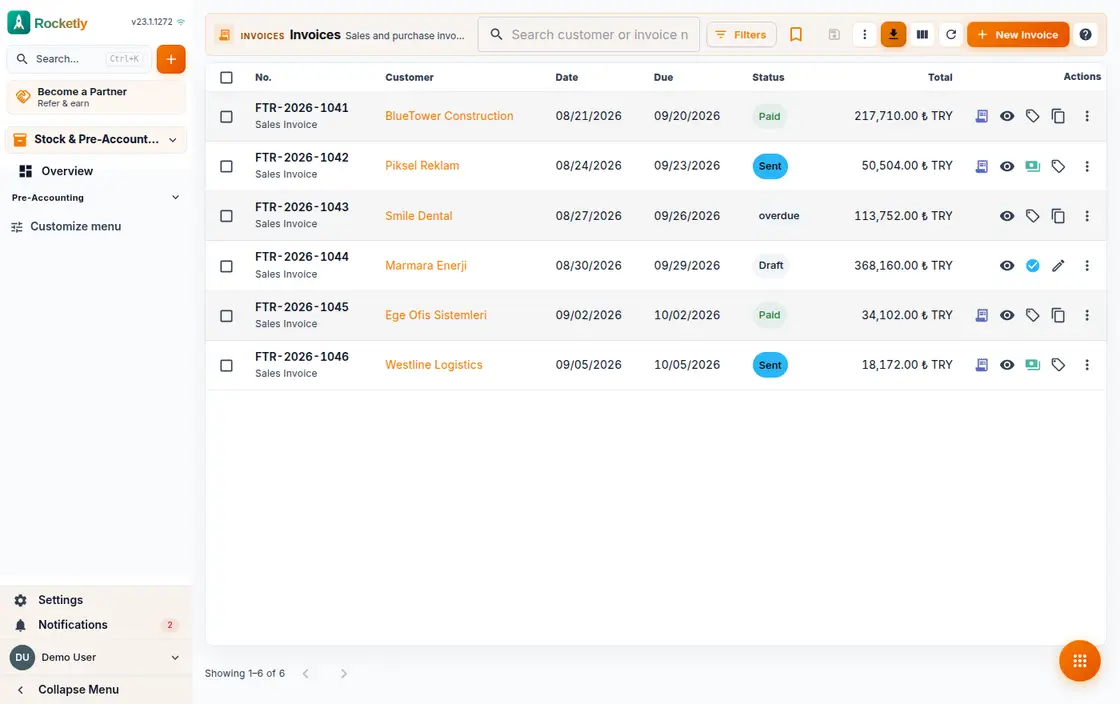
Pre-Accounting
Keep invoices, collections and cash movements in one place, and see who owes what.
Pre-Accounting helps keep quotes, invoices, and operational finance information next to the customer process. The team can more easily see which document, collection step, or record is missing in commercial follow-through.
Sales and purchase invoices
E-Invoice and e-Archive
Collections and payments
Cash, bank and cheques
Account cards and aging
Import your existing data
Which plan includes what?
The full plan-by-plan comparison lives on the pricing page.
Modules for managing the customer process in one system
Modules are designed to work together; availability depends on your plan, permissions and integration setup.
See the product path for your goal
Choose an outcome, then explore three products designed to work together.
Find the right businesses, capture enquiries and automate the follow-up.
AI Assistant
AI Assistant & Sales Intelligence
Ask your CRM data a question and get a clear answer, bounded by your own permissions.
Smart Agents
Autonomous AI Agents
Let agents do the work themselves, while how far they may go stays your decision.
Unified Inbox
Omnichannel Shared Inbox
Every customer message, from WhatsApp to email, in one queue with a clear owner.
Lead Management
Lead Management & Scoring
Every incoming lead has an owner, a score and a response clock you can actually see.
Sales Pipeline
Sales Pipeline & Forecasting
See where every deal is stuck and how the month will close, all on one board.
Call Analysis
Call Analysis & Coaching
Stop guessing how a call went and see it on the recording itself.
Appointment Management
Appointment & Calendar Management
Keep every step, from booking to the outcome you write down, in one calendar.
Meeting Bot
Meeting & Notes Automation
The moment a meeting ends, the summary, decisions and tasks are already waiting.
Marketing Hub
Campaign & Follow-up Automation
Build the campaign, get it approved, and let the follow-ups send themselves.
Analytics
Reporting & Analytics
See where sales stand, and know exactly where each number came from.
Inventory Management
Stock and Warehouse Management
Know how much of each product is in which warehouse, and hear about it before it runs out.
Voice of Customer
Voice of Customer Analytics
Read the customer signal that gets lost call by call, all in one place.
Competitor Intelligence
Competitor Monitoring
Keep finding out what your competitors do in ads, search and social.
Form Builder
Forms & Lead Capture
Build the form yourself, put it on your site, and let every reply land straight in the CRM.
Customer Portal
Customer Portal & Booking
Let customers open their quote, booking and invoice themselves, without calling you first.
Team Chat
Internal Team Messaging
Keep internal conversation inside the CRM, along with the decisions and the tasks it produces.
Call Center
Call Centre & Softphone
Place the call from the browser and let the recording, outcome and callback land in the CRM.
Task Management
Task & Project Tracking
Everyone knows who owes what and by when, and no late job lives only in someone's head.
Quotes and Contracts
Quote & Contract Management
One flow from drafting a quote to a signed contract, with nothing lost in email threads.
Pre-Accounting
Pre-Accounting & Collections
Keep invoices, collections and cash movements in one place, and see who owes what.
Prospecting
Company Discovery & Enrichment
Find companies you have never contacted, reveal their details and move them into your lead list.
SEO Workspace
SEO & Search Visibility
See where your site stands in search, and know which fix to take on first.
Creative Intelligence
Ad Creative Analysis
Find out where an ad creative is weak before anyone else sees it.
Ads Automation
Ad Budget Automation
Your ad budget keeps following your own rules through the night.
GEO Visibility
Generative Engine Visibility
See, with evidence, whether AI assistants name your brand when buyers ask.
Apps & Site Studio
App & Site Studio
Describe what you need and the app or site your team will use gets built in a few steps.
Construction CRM
Construction & Project CRM
Let site work, budget, progress payments and collections meet in one record.
Find the right starting point in industry guides
Industry guides start with the customer request, ownership and follow-through context in that field—not an unverified product promise.
All Industries
Industry guides start with the customer request, ownership and follow-through context in that field—not an unverified product promise.
Construction CRM
A guide for project handoffs, customer requests and accountable follow-through.
E-commerce CRM
A guide for order questions, customer handoffs and post-sale follow-through.
For teams working from the same customer context
Sales, marketing, customer success and operations can move through the same record with their own responsibilities.
Sales Teams
Keep the lead, owner, stage, and follow-up on the same record.
Review priority signals together before deciding the next outreach.
Review the opportunity, quote, and customer context in one working view.
Run pipeline reviews from current records and loss reasons.
Marketing
Keep campaign context, lead source, and next step visible together.
Connect only authorized channels and integrations to the customer record.
Review attribution signals together with source and data quality.
Make consent rules and follow-up ownership explicit in the workflow.
Customer Success
View customer conversations from supported channels in a shared context.
Agree on team rules for assignment, labels, and resolution status.
Use knowledge context to prepare a reply; keep a person in control of sending it.
Review unanswered and unowned conversations on a regular rhythm.
Operations + IT
Review organization permissions and sign-in methods in the security center.
Use APIs, webhooks, and integrations only through authorized configuration.
Review sessions and security events with the accountable owner.
Confirm plan and add-on availability in pricing and settings.
Questions that matter when choosing features
Short answers to clarify plans, access and use boundaries before you decide.
Does the Free plan include every module?
The Free plan covers the core CRM experience. Some advanced modules are add-ons, and user, storage, or usage limits vary by plan; see the pricing page for the current comparison.
How do plan and channel-provider fees work?
Rocketly plan and add-on scope is shown on the pricing page. Connected channel providers may have their own permission, template, or fee rules; confirm the provider’s current terms before use.
What are AI Assistant answers based on?
AI Assistant can help prepare a reply from information defined by your team and permitted customer context. Human approval and the final decision remain with the user for commercial, legal, and sensitive customer decisions.
Can I use Rocketly on a phone?
Rocketly can be used in a current phone browser. Visible modules and available actions depend on the device, browser, plan, and your organization’s configuration.
Try all of it with your own data
The core of every module on this page is open on the Free plan. No credit card, setup takes minutes.
The Right Plan for Your Business
Monthly
Free
$0
/month
Basic CRM features
Sales Pipeline
Gemini AI support
Email notifications
Starter
$29
$25
/month (Billed yearly)
All Free features
Unified Inbox
Sales Pipeline
Lead Scoring
Excel/CSV Export
Professional
$79
$66
/month (Billed yearly)
All Starter features
Visual Workflow Builder
WhatsApp Personal Integration
All AI engines (Claude, GPT-4, Groq)
Workflow Templates (12+)
Business
$199
$166
/month (Billed yearly)
All Professional features
AI Chatbot Agents
Multi-Agent Routing
Knowledge Sources (25)
AI Training Interface
Real Estate
$950
$792
/month (Billed yearly)
All Business features
Construction CRM Module
Unit & Block Management
Payment Plans & Installments
Auto Contract Generation