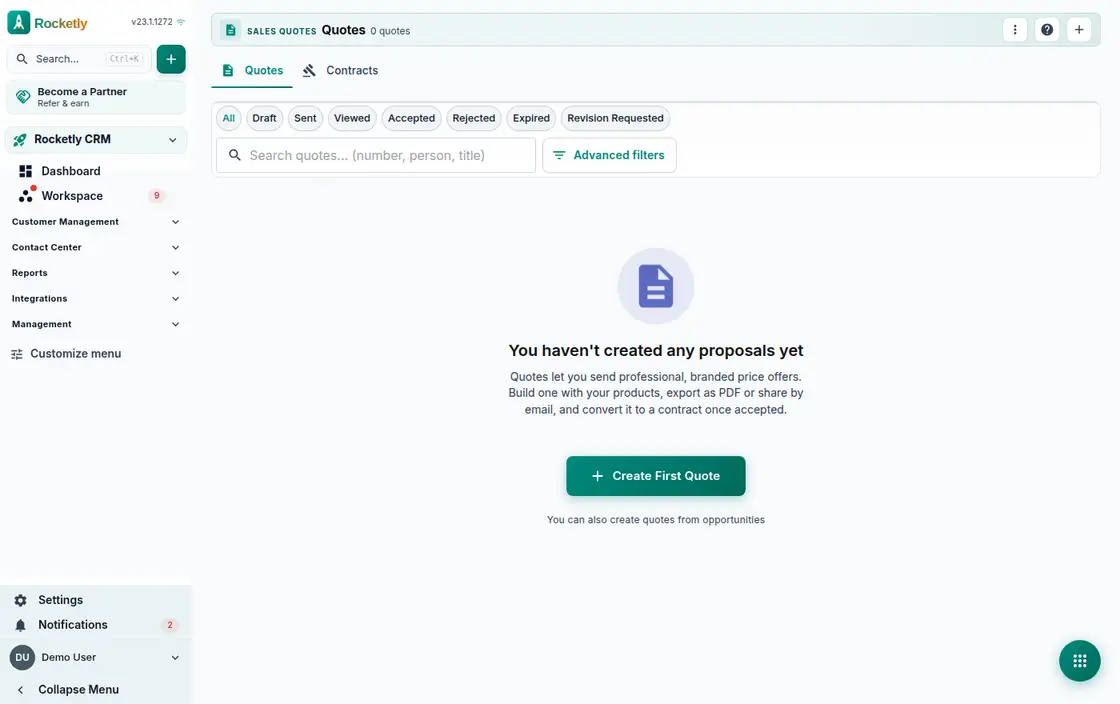
What you can do
Line items, discount and profit
Add the line items and the subtotal, discount, margin percentage and per-line profit update on the same screen, so a loss-making line is obvious.
Catalog, Excel and OCR import
Pick items from the product catalog, import them from an Excel file, or read them off a document with OCR. New items can be pushed back into the catalog.
Internal approval
Send a risky or heavily discounted quote for approval. Quotes waiting for approval, approved and rejected ones all carry their state in the list.
Customer link, signature and payment
Share the quote as a public link. The customer picks a package, signs and accepts, pays by card, or asks for a revision instead.
Contract, signature and renewal
Turn an accepted quote into a contract and get it signed. Contracts set to auto-renew are followed from the renewal desk.
Document templates
Keep templates for quotes, contracts and other document types. Each template lists the variables you can use, and one per category becomes the default.
A REAL SCENARIO
A real working day
The flow that helps a team decide before a meeting
The journey of a discounted quote
A rep pulls the line items from the catalog and applies a discount; once the line profit drops the quote goes for approval. After the manager approves it, a public link reaches the customer, who chooses a package and signs. The accepted quote becomes a contract from the same screen.
Who is it for?
It suits sales, project, and operations teams that want to move from quote to signature without losing responsibility or version control.
SETUP PLAN
How to start
Standardize required commercial fields in the quote template.
Assign role-based responsibility for sending and approval.
Before signature, confirm the final version and customer information together.
Content verified:
ANSWER CENTER
Frequently asked questions
Explore the questions teams ask before deciding, with short and direct answers.
Open a question to see the scope of the product and its practical boundaries.
What exactly does Quotes and Contracts do?
Quotes and Contracts helps prepare and follow a commercial offer alongside its approval flow and customer context. The team can see more clearly which version was sent and which step is still pending.
Who is Quotes and Contracts for?
It suits sales, project, and operations teams that want to move from quote to signature without losing responsibility or version control.
What can I do with Quotes and Contracts?
Line items, discount and profit: Add the line items and the subtotal, discount, margin percentage and per-line profit update on the same screen, so a loss-making line is obvious. Catalog, Excel and OCR import: Pick items from the product catalog, import them from an Excel file, or read them off a document with OCR. New items can be pushed back into the catalog. Internal approval: Send a risky or heavily discounted quote for approval. Quotes waiting for approval, approved and rejected ones all carry their state in the list. Customer link, signature and payment: Share the quote as a public link. The customer picks a package, signs and accepts, pays by card, or asks for a revision instead. Contract, signature and renewal: Turn an accepted quote into a contract and get it signed. Contracts set to auto-renew are followed from the renewal desk. Document templates: Keep templates for quotes, contracts and other document types. Each template lists the variables you can use, and one per category becomes the default.
What does Quotes and Contracts look like on a real working day?
The journey of a discounted quote. A rep pulls the line items from the catalog and applies a discount; once the line profit drops the quote goes for approval. After the manager approves it, a public link reaches the customer, who chooses a package and signs. The accepted quote becomes a contract from the same screen.
How should a team start with Quotes and Contracts?
Standardize required commercial fields in the quote template. Assign role-based responsibility for sending and approval. Before signature, confirm the final version and customer information together.
What does Quotes and Contracts not replace?
The module does not provide legal advice, legal validity, or signature-verification guarantees. Templates and contract process should be reviewed with qualified legal counsel.
Which industry was Quotes and Contracts verified for?
The verified industry scenario for Quotes and Contracts is Construction. The industry page shows that end-to-end workflow. Other products used alongside it in the same scenario: Customer Portal, Construction CRM.
Used together in the same industry
Start using Rocketly for free
Bring your team together in one CRM; no card needed to set it up.