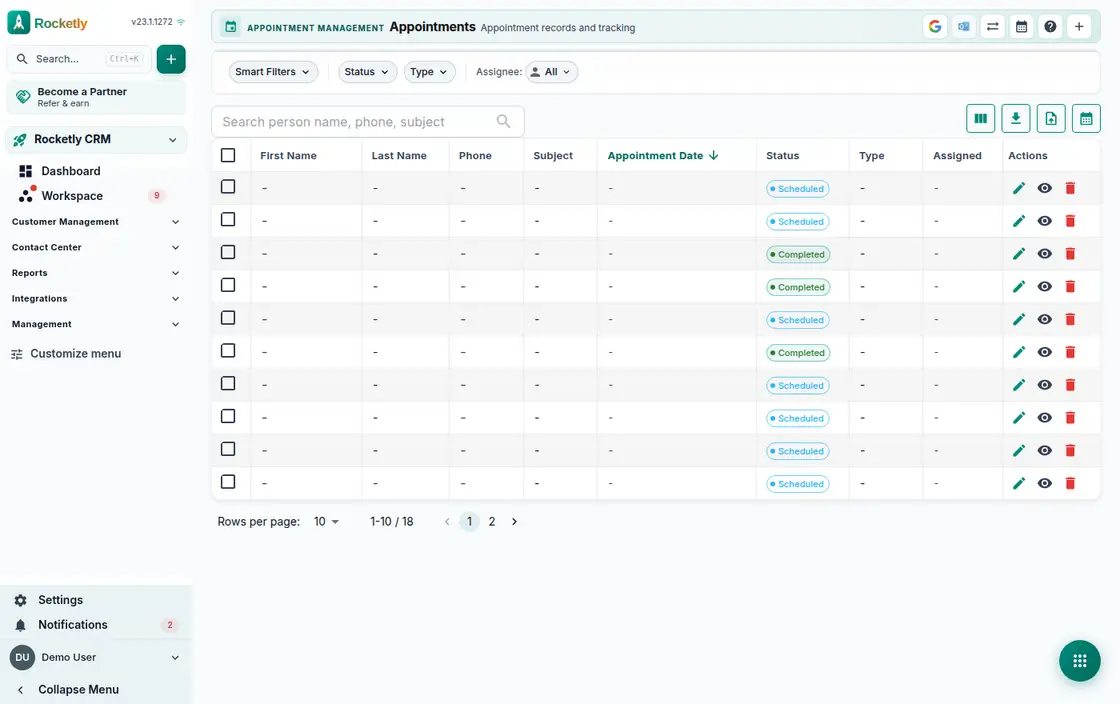
What you can do
Calendar and smart lists
The day view and the next appointment sit at the top. Today's, this week's and needs-attention lists gather the day's plan onto one screen.
Conflict and free-slot checks
Conflicts are checked the moment you pick a time and the first free slots are offered. Rescheduling writes the new time onto the record.
Appointment reminders
Schedule an appointment with a 24-hour reminder, or pick an option such as one day. An upcoming-appointment notice arrives and can be snoozed.
Google and Outlook sync
Google Calendar and Outlook sync two ways and the last sync time is visible. You choose which calendar the invitation is written to.
Public booking page
Your public booking page lists available times. You set the URL slug, add your own intake questions and turn on fair round-robin distribution.
Outcome and no-show tracking
When the meeting ends you enter the result and open a follow-up task. No-shows, the no-show rate and appointment-to-opportunity conversion are summarised.
A REAL SCENARIO
A real working day
The flow that helps a team decide before a meeting
A showroom appointment day
The advisor opens the calendar in the morning with the next appointment and the needs-attention list on top. Offering a customer a new time raises a conflict warning, so she picks the first free slot. After the meeting she enters the result, a follow-up task opens, and the absent customer is recorded as a no-show.
Who is it for?
It suits teams with frequent bookings that want orderly confirmations and reminders, or that do not want sales and service follow-up to stop after an appointment.
SETUP PLAN
How to start
Clarify the offered service and duration rules first.
Assign ownership for confirmation, cancellation, and rescheduling.
Add one consistent next-step rule for post-appointment follow-up.
Content verified:
ANSWER CENTER
Frequently asked questions
Explore the questions teams ask before deciding, with short and direct answers.
Open a question to see the scope of the product and its practical boundaries.
What exactly does Appointment Management do?
Appointment Management helps organize availability, customer context, and follow-up in the same flow. The team can track not only the time of an appointment, but also preparation before it and the outcome after it.
Who is Appointment Management for?
It suits teams with frequent bookings that want orderly confirmations and reminders, or that do not want sales and service follow-up to stop after an appointment.
What can I do with Appointment Management?
Calendar and smart lists: The day view and the next appointment sit at the top. Today's, this week's and needs-attention lists gather the day's plan onto one screen. Conflict and free-slot checks: Conflicts are checked the moment you pick a time and the first free slots are offered. Rescheduling writes the new time onto the record. Appointment reminders: Schedule an appointment with a 24-hour reminder, or pick an option such as one day. An upcoming-appointment notice arrives and can be snoozed. Google and Outlook sync: Google Calendar and Outlook sync two ways and the last sync time is visible. You choose which calendar the invitation is written to. Public booking page: Your public booking page lists available times. You set the URL slug, add your own intake questions and turn on fair round-robin distribution. Outcome and no-show tracking: When the meeting ends you enter the result and open a follow-up task. No-shows, the no-show rate and appointment-to-opportunity conversion are summarised.
What does Appointment Management look like on a real working day?
A showroom appointment day. The advisor opens the calendar in the morning with the next appointment and the needs-attention list on top. Offering a customer a new time raises a conflict warning, so she picks the first free slot. After the meeting she enters the result, a follow-up task opens, and the absent customer is recorded as a no-show.
How should a team start with Appointment Management?
Clarify the offered service and duration rules first. Assign ownership for confirmation, cancellation, and rescheduling. Add one consistent next-step rule for post-appointment follow-up.
What does Appointment Management not replace?
Appointment management does not replace a professional record or clinical decision system. Availability and communication rules still need to be defined by the team.
Which industry was Appointment Management verified for?
The verified industry scenario for Appointment Management is Dental Clinic. The industry page shows that end-to-end workflow.
Start using Rocketly for free
Bring your team together in one CRM; no card needed to set it up.