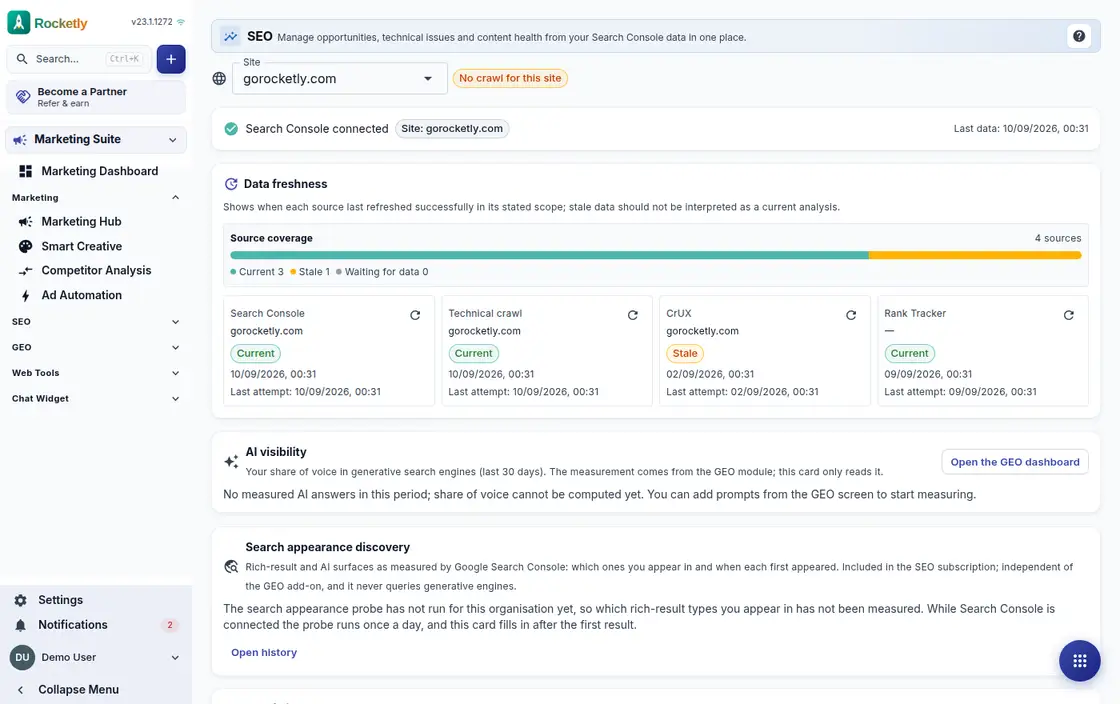
What you can do
SEO quick wins
Queries stuck on the second page are pulled from Search Console data and ranked by position and expected extra clicks; a chosen one becomes a task.
Rank tracking
Tracked keywords show their daily position and visibility trend, and new keywords can be added straight from your Search Console queries.
Site audit
The site is crawled and you get pages crawled, indexability, critical findings and real-user Core Web Vitals, listed page by page.
Content health
Pages losing clicks and pages competing for the same query sit in separate tabs; the lost clicks are visible and a page can be sent for review.
Internal link opportunities
For a target page with weak internal linking you get suggested source pages and anchor text, with the page's depth shown alongside.
Indexing tools
Test a robots.txt rule, ask whether an address is in Google's index, and announce new or updated addresses through IndexNow.
A REAL SCENARIO
A real working day
The flow that helps a team decide before a meeting
When blog traffic slips
A content editor notices blog traffic sliding. On the content health screen they see which pages are losing clicks, realise two are competing for the same query, and send one for review. After updating it they announce the address through IndexNow and watch the keyword in rank tracking.
Who is it for?
It suits marketing and web teams that want to handle site health, content coverage, and technical improvement regularly while tracking findings with an owner and evidence.
SETUP PLAN
How to start
Record one technical or content question with its evidence first.
Define a small change with impact, owner, and rollback plan.
Revalidate the change after release with crawl and performance data.
Content verified:
ANSWER CENTER
Frequently asked questions
Explore the questions teams ask before deciding, with short and direct answers.
Open a question to see the scope of the product and its practical boundaries.
What exactly does SEO Workspace do?
SEO Workspace helps review technical visibility and content improvements in a followable working rhythm. The team can separate observation, recommendation, and completed change to make healthier decisions.
Who is SEO Workspace for?
It suits marketing and web teams that want to handle site health, content coverage, and technical improvement regularly while tracking findings with an owner and evidence.
What can I do with SEO Workspace?
SEO quick wins: Queries stuck on the second page are pulled from Search Console data and ranked by position and expected extra clicks; a chosen one becomes a task. Rank tracking: Tracked keywords show their daily position and visibility trend, and new keywords can be added straight from your Search Console queries. Site audit: The site is crawled and you get pages crawled, indexability, critical findings and real-user Core Web Vitals, listed page by page. Content health: Pages losing clicks and pages competing for the same query sit in separate tabs; the lost clicks are visible and a page can be sent for review. Internal link opportunities: For a target page with weak internal linking you get suggested source pages and anchor text, with the page's depth shown alongside. Indexing tools: Test a robots.txt rule, ask whether an address is in Google's index, and announce new or updated addresses through IndexNow.
What does SEO Workspace look like on a real working day?
When blog traffic slips. A content editor notices blog traffic sliding. On the content health screen they see which pages are losing clicks, realise two are competing for the same query, and send one for review. After updating it they announce the address through IndexNow and watch the keyword in rank tracking.
How should a team start with SEO Workspace?
Record one technical or content question with its evidence first. Define a small change with impact, owner, and rollback plan. Revalidate the change after release with crawl and performance data.
What does SEO Workspace not replace?
An SEO tool does not guarantee rankings, indexing, or traffic. Search outcome is also affected by content, technical state, competition, and time outside a team's control.
Which industry was SEO Workspace verified for?
The verified industry scenario for SEO Workspace is Web Development. The industry page shows that end-to-end workflow. Other products used alongside it in the same scenario: Apps & Site Studio.
Used together in the same industry
Start using Rocketly for free
Bring your team together in one CRM; no card needed to set it up.